Deleting Scalar Values
If required, you can delete selected measurements and scalar values contained within an object, such as a multi-ROI
How to Delete Scalar Values
- Right-click the object with the scalar information that you want to delete in the Data Properties and Settings panel.
- Choose Delete Selected Scalar Values in the pop-up menu.
The Choose Scalar Value Slots to Delete dialog appears.
- Choose the measurement(s) you want to delete in the Slots drop-down menu.
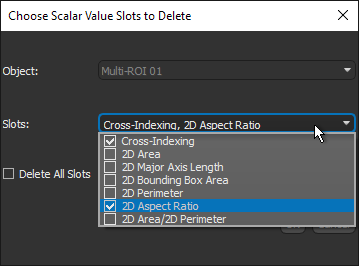
Note Check the Delete All Slots option if you want to delete all of the measurements.
- Click OK to delete the selected measurement(s).
- Save your changes, if required (see Scalar Information).
